

Miracast
Installs
18,110,470+Category
ToolsContent Rating
4+
Screenshots

Core Features
about the app
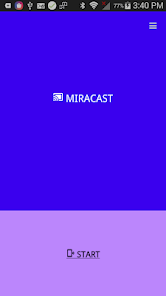
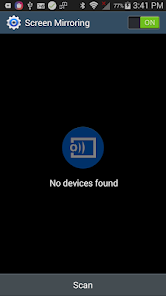
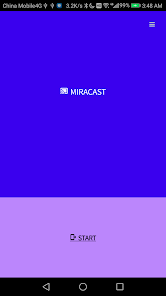
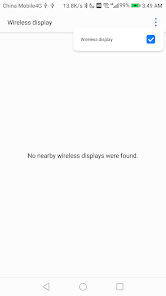
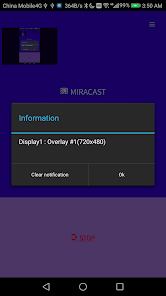
Miracast App will help you cast android device screen to TV screen by Wireless display device such as Smart TV or Wireless display dongle. App run perfect on most of the devices, We tested on SamSung , Huawei , XiaoMi , Vivo , Oppo , HTC and Sony phone. Notice: some devices don't support cast screen and may be this app will don't working, app only support android from 4.2 and above. (ex. Samsung Galaxy J1/J3/J5/J7) Features: Enable the hidden miracast menu. Cast android screen to TV screen (Smart TV must support Wireless Display / Miracast). Find devices support show screen cast in current wifi network. How to use this App? 1. Check your TV whether it supports Wireless Display / Miracast. 2. Your device and TV must connect same Wifi network (Not wire LAN). 3. Click "START" button on app and choose TV. 4. Click "STOP" button on app to stop mirroring. ***Unsupported list*** Galaxy S Advance (GT-I9070) Samsung Galaxy S II Samsung Galaxy Tab 3 10.1” Samsung Galaxy J1/J3/J5/J7(All version)
Online Games
Disclaimer
1.This website is not a developer and does not represent any app or game developer.
2.This website displays screenshots, historical APKs, links and other information
3.sourced from Google Play, and may add its own reviews.
4.All trademarks, product names and logos on this site belong to their respective owners.
5.This website complies with the DMCA and will respond to valid copyright removal requests.
6.This website strives to ensure APKs are safe and provides official Google Play and App Store links for verification.
7.If you are a rights holder and want content removed, please contact us using the site's contact information.
8.Content and ads on this website follow Google Ads and Unwanted Software policies; users should verify app permissions and privacy policies before installing.