


Move to iOS
Installs
55,064,507+Category
ToolsContent Rating
4+
Screenshots
Core Features
about the app
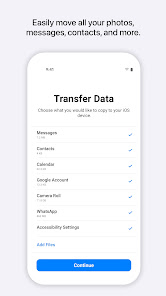
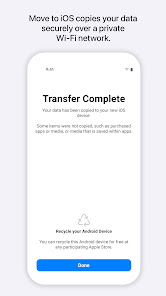
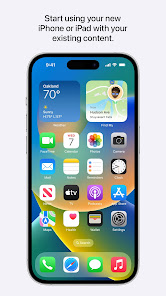
Everything about iOS is designed to be easy. That includes switching to it. With just a few steps, you can migrate your content automatically and securely from your Android device with the Move to iOS app. No need to save your stuff elsewhere before switching from Android. The Move to iOS app securely transfers all kinds of content data for you: Contacts Message history Camera photos and videos Mail accounts Calendars WhatsApp content Make sure to keep your devices nearby and connected to power until the transfer is complete. When you choose to migrate your data, your new iPhone or iPad will create a private Wi-Fi network and find your nearby Android device running Move to iOS. After you enter a security code, it will begin transferring your content and put it in the right places. Just like that. Once your content has been transferred, you’re ready to get going. That’s it — you can start using your new iPhone or iPad and experiencing its endless possibilities. Enjoy.
Online Games
Disclaimer
1.This website is not a developer and does not represent any app or game developer.
2.This website displays screenshots, historical APKs, links and other information
3.sourced from Google Play, and may add its own reviews.
4.All trademarks, product names and logos on this site belong to their respective owners.
5.This website complies with the DMCA and will respond to valid copyright removal requests.
6.This website strives to ensure APKs are safe and provides official Google Play and App Store links for verification.
7.If you are a rights holder and want content removed, please contact us using the site's contact information.
8.Content and ads on this website follow Google Ads and Unwanted Software policies; users should verify app permissions and privacy policies before installing.